Abstractions 2: Files and I/O

Source: UC Berkeley CS162, Fall 2020/2021 - Prof. John Kubiatowicz, Lecture 4

CS162 Lecture 4 - Abstractions 2: Files and I/O

Every program reads and writes: files, the terminal, the network. This lecture is about the abstraction that makes all of those look the same - the file - and the two levels of API you use to touch it: high-level buffered streams (fopen/fread) and low-level file descriptors (open/read). The payoff is the POSIX idea that "everything is a file".

The I/O and storage layers

I/O is a stack of layers. Your program calls a high-level library (streams), which calls a low-level interface (file descriptors), which traps into the kernel via a system call, which goes through the file system and an I/O driver down to the physical device.
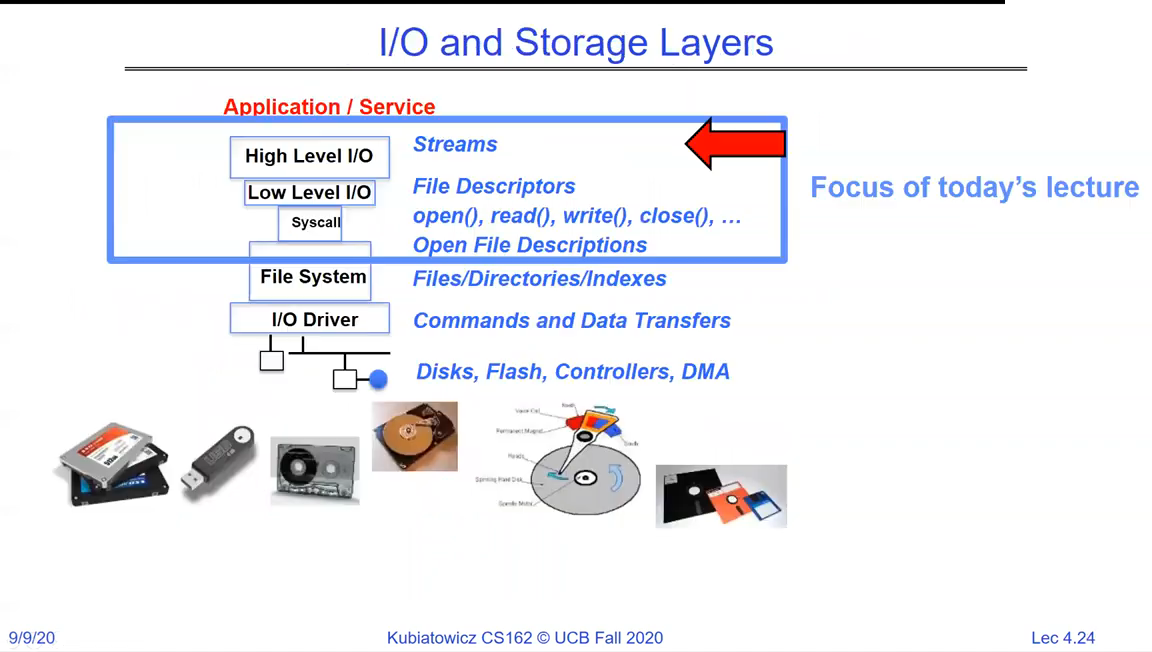
Stack of I/O layers from Application/Service down through High Level I/O (Streams), Low Level I/O (File Descriptors), the syscall boundary, the File System, and the I/O Driver, to disks, flash and controllers
The I/O stack. Today's lecture is the top two layers - streams and file descriptors - and the syscall boundary between your program and the kernel.

Files and the working directory

A file is named by a path. Every process carries a current working directory (CWD), so relative paths are interpreted relative to it; absolute paths ignore it. The CWD is per-process state the kernel tracks on your behalf.
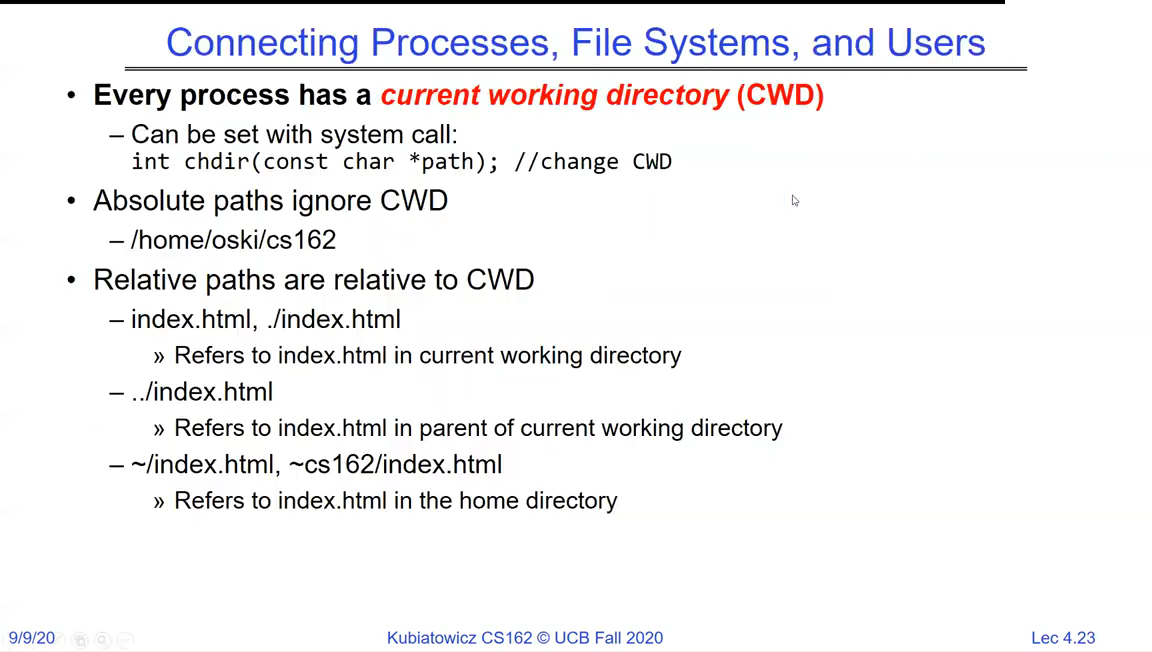
Slide on current working directory: every process has a CWD settable via chdir(); absolute paths like /home/oski/cs162 ignore the CWD; relative paths like index.html, ../index.html, ~/index.html resolve against the CWD or home directory
Paths and the CWD. `chdir()` changes it; absolute paths (leading /) ignore it; `.`, `..` and `~` resolve relative to the CWD or the home directory.
Paths
  • Absolute path (starts with /) - resolved from the root, ignores the CWD.
  • Relative path - resolved against the process's current working directory.
  • The CWD is per-process state; chdir() changes it and affects only that process.

High-level file I/O: C streams

The high-level API works on streams - a FILE * opened with fopen, carrying an internal position and a user-space buffer. You read and write through it and close it with fclose; an error is reported by a NULL pointer.
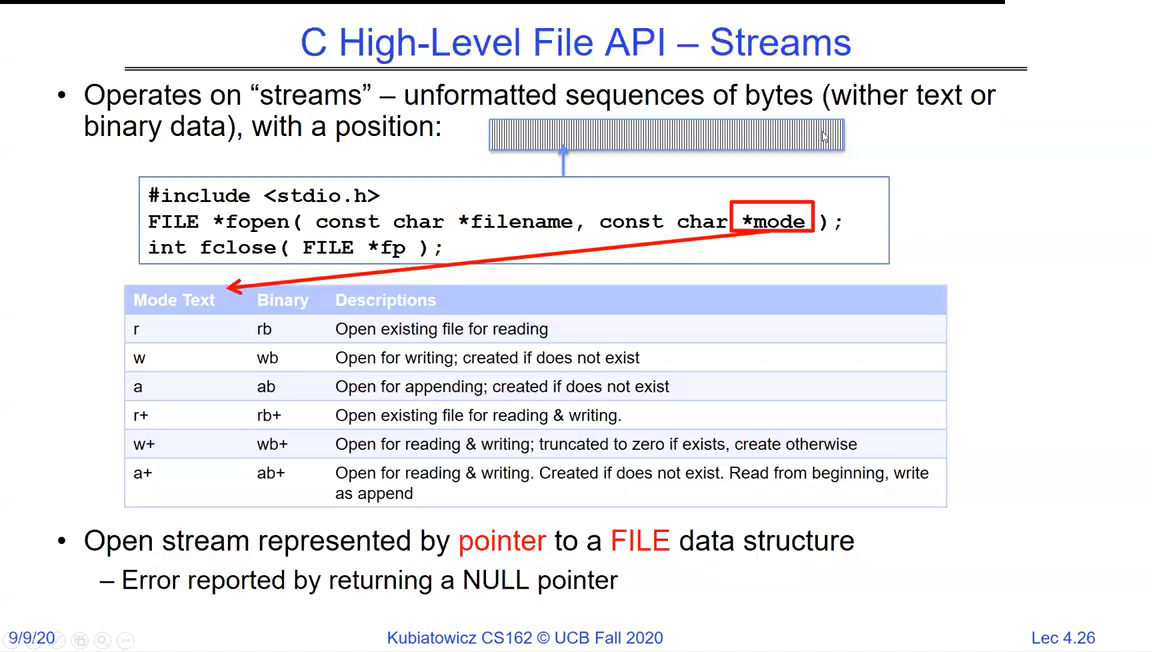
C High-Level File API - Streams: #include <stdio.h>, FILE *fopen(const char *filename, const char *mode), int fclose(FILE *fp), with a table of open modes (r, w, a, r+, w+, a+) and their meanings
Streams via stdio.h. `fopen` returns a `FILE *` (or NULL on failure); the mode string (`r`, `w`, `a`, and the `+` variants) sets read/write/append and whether the file is created or truncated.

The stream API is rich: character, line, block, and formatted transfers.
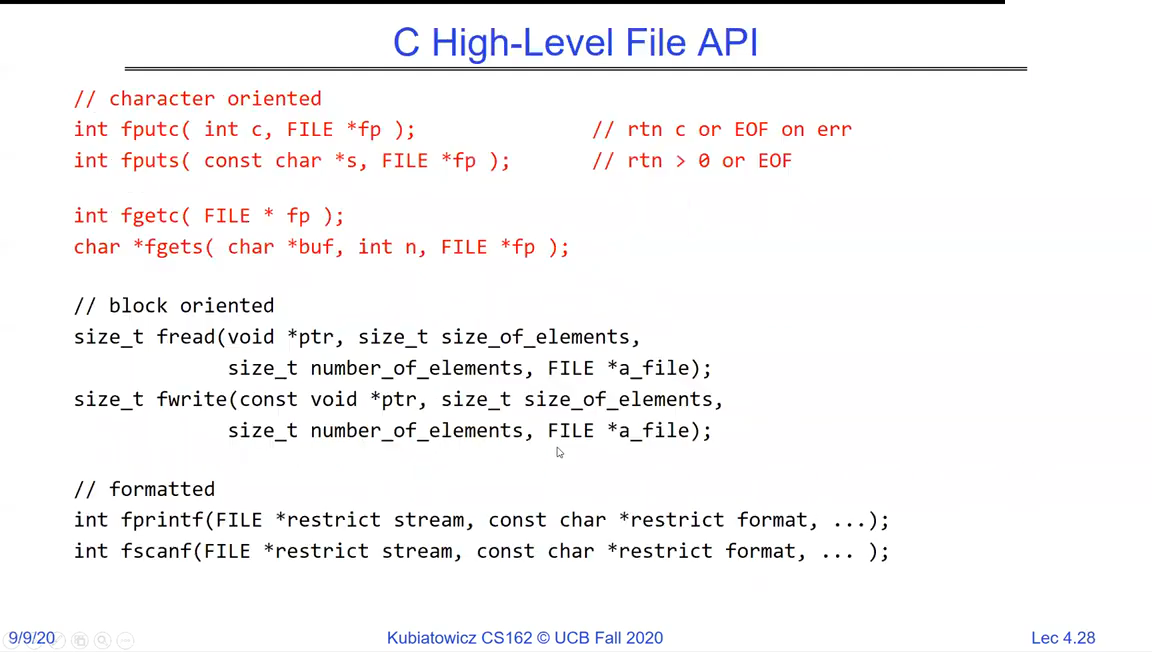
C High-Level File API families: character-oriented fgetc/fputc, block-oriented fread/fwrite with element size and count, and formatted fprintf/fscanf
The stream families: character (`fgetc`/`fputc`), block (`fread`/`fwrite` in element-sized chunks), and formatted (`fprintf`/`fscanf`). All share the same buffered `FILE *`.

A typical copy loop reads a block, writes a block, and repeats until end of file.
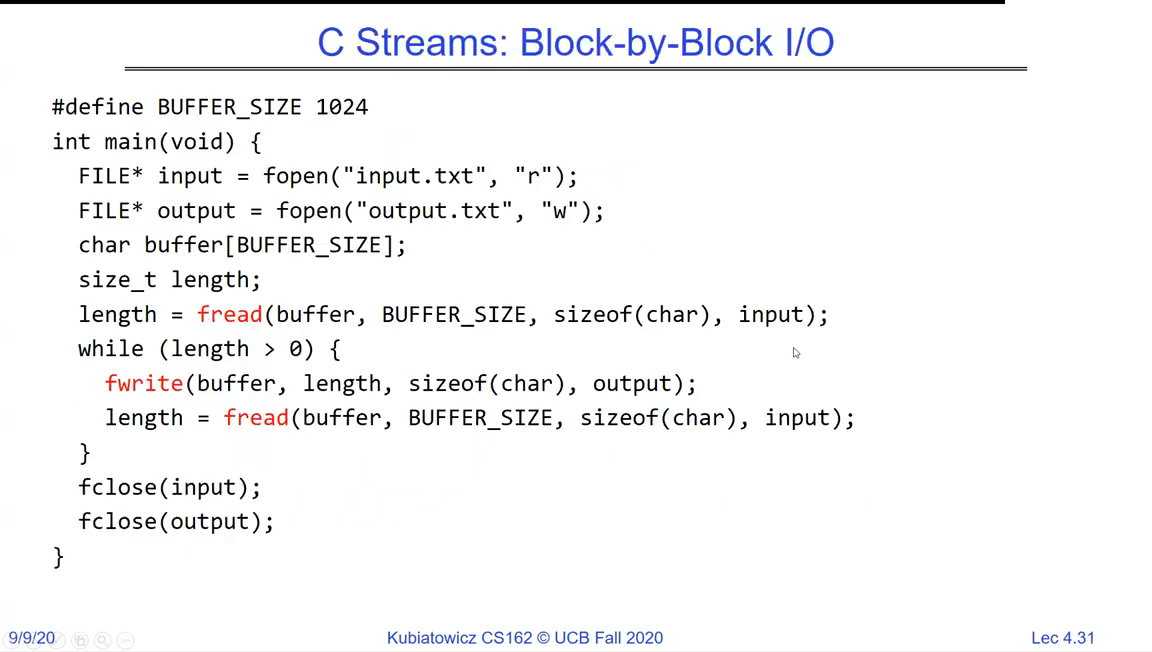
C Streams block-by-block copy: fopen input.txt for reading and output.txt for writing, then a loop of fread into a buffer and fwrite out until fread returns zero, then fclose both
Block-by-block copy. `fread` fills a buffer and returns the count read; the loop ends when it returns zero (end of file). This is the everyday shape of stream I/O.

You can also move the position explicitly.
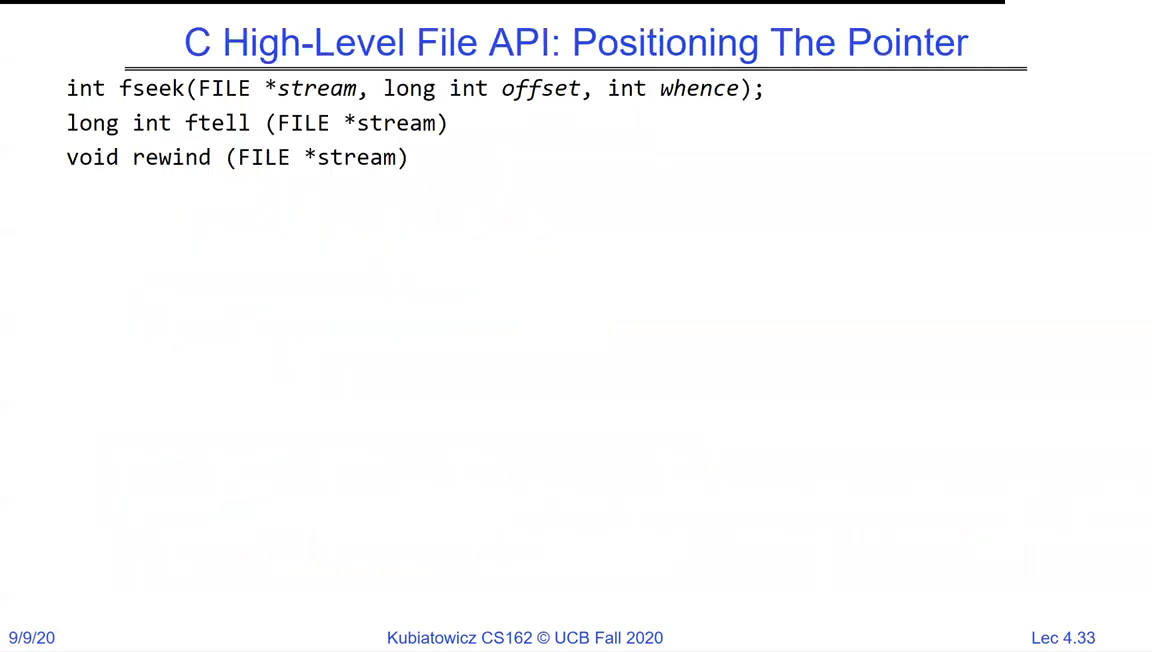
C High-Level File API positioning: fseek(FILE *stream, long int offset, int whence), long ftell(FILE *stream), void rewind(FILE *stream)
Positioning within a stream: `fseek` moves the read/write cursor, `ftell` reports it, and `rewind` returns to the start.
Always check return values

System programming is where sloppy error handling bites. fopen can return NULL; fread/fwrite can transfer fewer elements than asked; a syscall can fail and set errno. Real code checks every one of these. Examples (including some on these slides) skip the checks for brevity - production code must not.

Low-level file I/O: file descriptors

Underneath streams is the raw system-call interface. Here a file is an integer file descriptor returned by open, used by read/write, and released by close - no user-space buffering, one syscall per call.
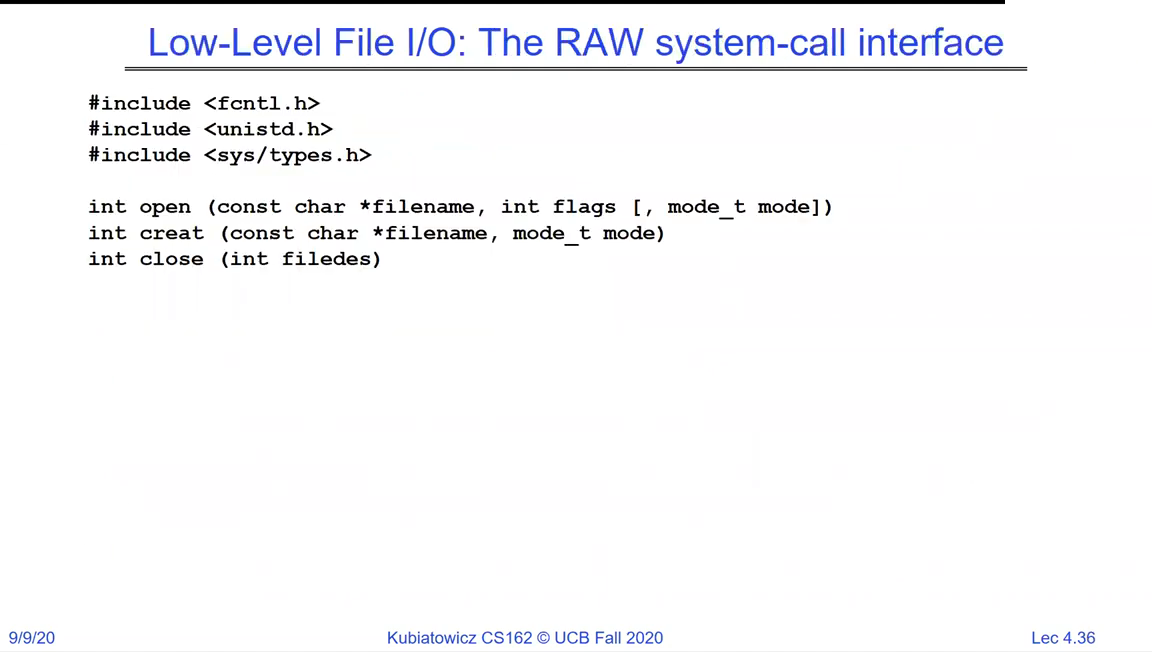
Low-Level File I/O raw system-call interface: int open(const char *filename, int flags, mode_t mode), int creat(const char *filename, mode_t mode), int close(int filedes)
The raw interface. `open` returns a small integer (the file descriptor); `read`, `write` and `close` all take that integer. This is what streams are built on top of.

Three descriptors are open before your program starts.
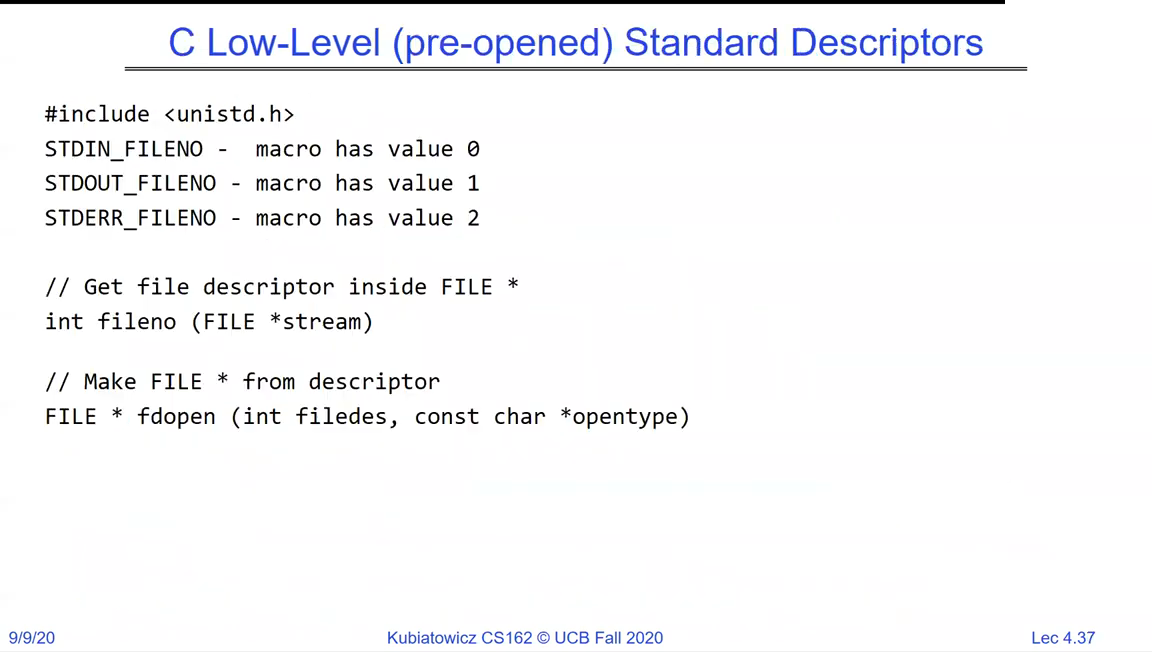
C Low-Level pre-opened Standard Descriptors: STDIN_FILENO = 0, STDOUT_FILENO = 1, STDERR_FILENO = 2; fileno() gets the descriptor inside a FILE*; fdopen() makes a FILE* from a descriptor
The three standard descriptors: 0 = stdin, 1 = stdout, 2 = stderr. `fileno()` extracts the descriptor from a stream, and `fdopen()` wraps a stream around a descriptor - the bridge between the two APIs.
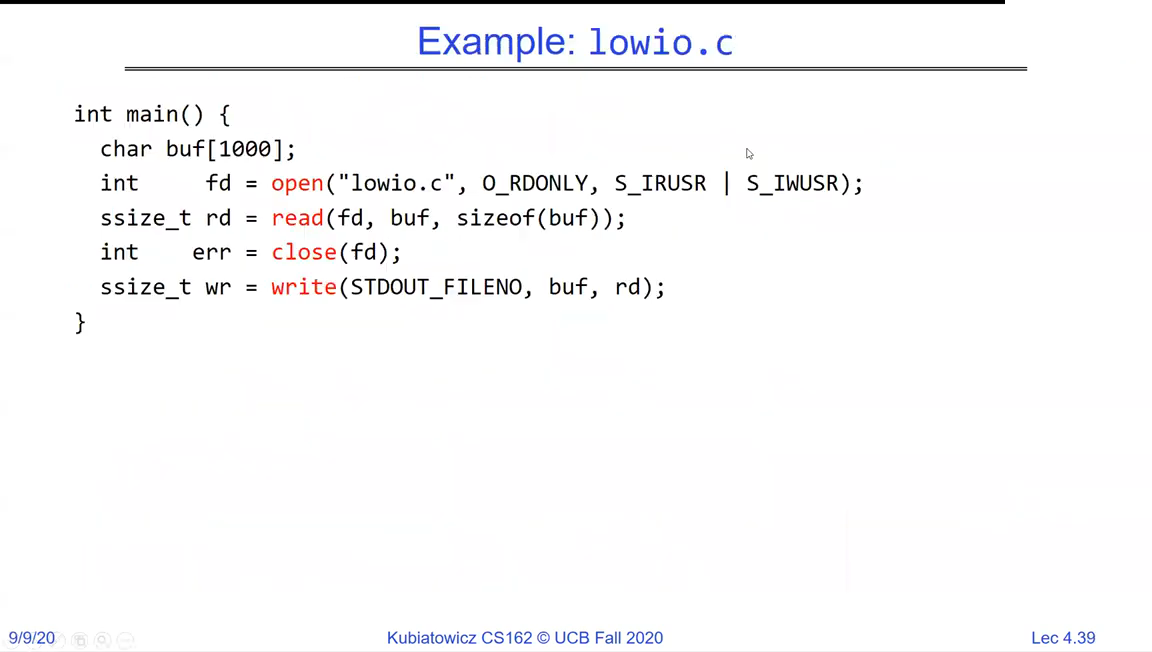
Example lowio.c: fd = open('lowio.c', O_RDONLY, ...), rd = read(fd, buf, sizeof(buf)), write(STDOUT_FILENO, buf, rd), close(fd)
lowio.c: open a file, read a chunk into a buffer, write it straight to descriptor 1 (stdout), then close. Pure descriptors, no stdio buffering.
File descriptors
  • A file descriptor is a small non-negative integer naming an open file within a process.
  • 0/1/2 are stdin/stdout/stderr, open before main runs.
  • Low-level calls (open/read/write/close) are unbuffered - each is a system call.

Why two levels? Buffering

If the low-level calls do everything, why have streams at all? Buffering. A system call is far more expensive than a function call, so batching many small reads/writes into a few large syscalls (in a user-space buffer) is a big win.
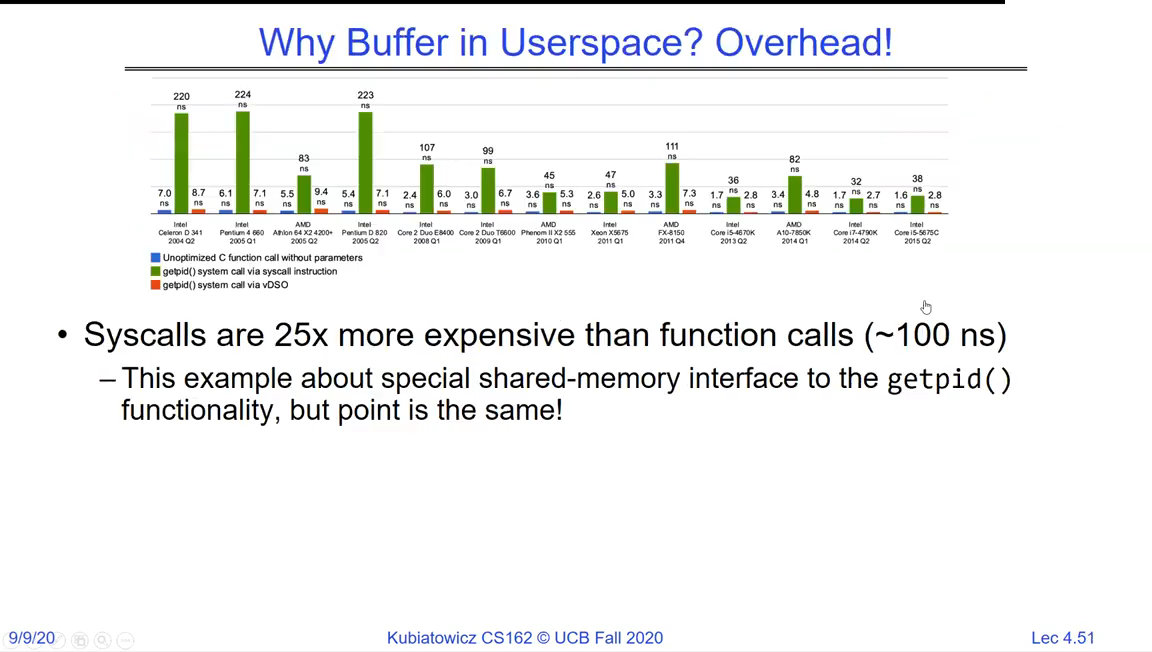
Why buffer in userspace - overhead: a bar chart showing system calls are about 25x more expensive than plain function calls (~100 ns)
Why streams buffer: a system call costs roughly 25x a plain function call (~100 ns of overhead). Streams accumulate small operations in a user-space buffer and flush them in a few large syscalls.
Buffering pays off
  • A system call is about 25x more expensive than a plain function call.
  • That overhead is on the order of 100 ns per call - negligible once, ruinous if you do it per byte.
  • Streams exist to turn thousands of tiny transfers into a handful of large syscalls.

What a file descriptor really points to

A descriptor is not the file itself - it's an index into the process's descriptor table, which points to a kernel open file description (holding the file and the current position). fork copies the descriptor table, so parent and child share the same open file description - and thus the same position.
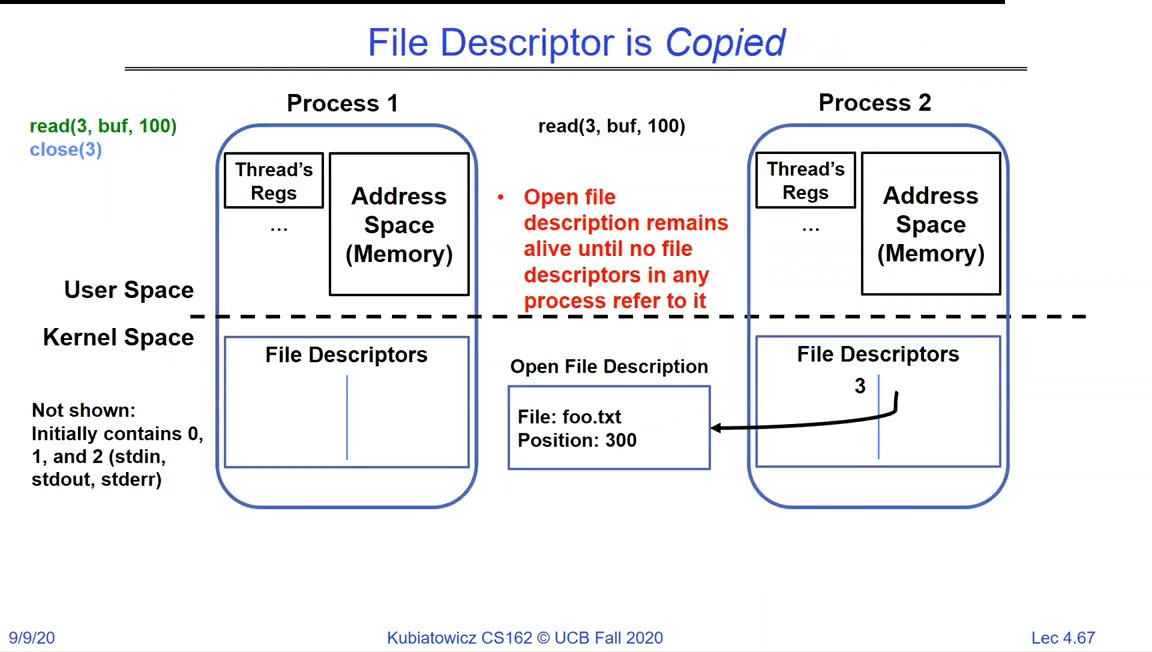
File Descriptor is Copied: Process 1 and Process 2 each have a file descriptor table in kernel space; both point at the same Open File Description (file foo.txt, position 300), which stays alive as long as any descriptor refers to it
A descriptor is an index into a per-process table that points at a shared kernel open file description. After `fork`, both processes' tables point at the same description - so they share the file offset, and it lives until the last descriptor closes.

This shared-description design is what makes redirection and pipes work: point a process's descriptor 1 at something and everything it writes to stdout goes there.
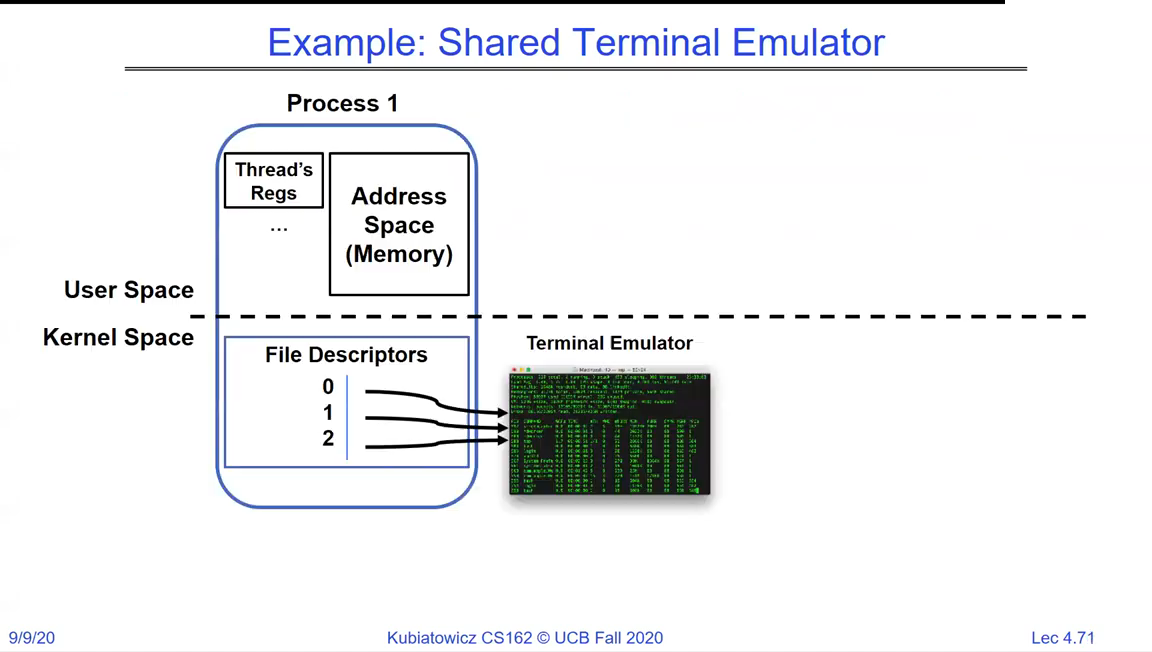
Example Shared Terminal Emulator: a process with file descriptors 0, 1, 2 all pointing at the same terminal emulator open file description
A shell process with descriptors 0, 1, 2 all wired to the terminal emulator. Redirecting output is just repointing descriptor 1 at a file or pipe instead - the program writing to stdout never notices.

Everything is a file

That is the whole idea. Files, devices, pipes, and sockets are all reached through the same open/read/write/close descriptors, so a program written for files works on any of them.
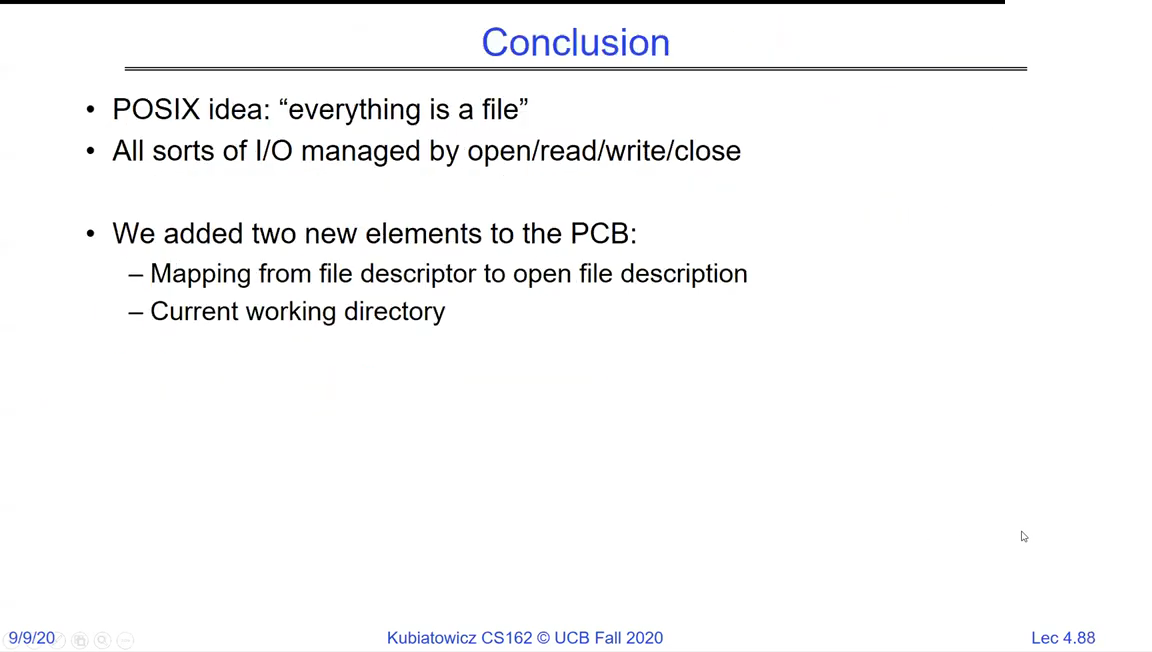
Conclusion slide: POSIX idea 'everything is a file'; all sorts of I/O managed by open/read/write/close; two new elements added to the PCB - the mapping from file descriptor to open file description, and the current working directory
The POSIX unifying idea: everything is a file, all managed by open/read/write/close. Files added two things to the process control block - the descriptor table and the current working directory.

Recap

  • I/O is layered: streams on top of file descriptors on top of the syscall boundary, the file system, and drivers.
  • Every process has a current working directory; relative paths resolve against it.
  • High-level streams (fopen/fread/fwrite, buffered) trade a little overhead for far fewer syscalls; low-level descriptors (open/read/write, unbuffered) are the raw interface underneath.
  • A descriptor is an index into a per-process table pointing at a shared kernel open file description; fork shares descriptions, which is how redirection and pipes work.
  • Everything is a file - files, devices, pipes and sockets share one interface.
  • Next: using that interface for communication between processes - IPC, pipes and sockets.