Selecting TPU software
Provisioning a TPU is only half the job - you also pick the software environment the machine boots into. Choosing the right version ensures compatibility, optimal performance, and access to the features you need.
What is a TPU software version?
When you create TPU resources you specify a TPU software version (also called a runtime version). It is not an arbitrary number - it names the complete software environment pre-installed on your TPU VM:
- The underlying Ubuntu operating system.
- Docker, for containerization.
- All other essential software required to run your machine learning code directly on the TPUs.
Selecting a software version
You set the version at create time, through whichever interface you provision with:
| Interface | How you pick the version |
|---|---|
| Google Cloud CLI | Pass the --version (or --runtime-version) parameter to gcloud compute tpus tpu-vm create. |
| Google Cloud console | Select from the TPU software version list in the Create a Cloud TPU form. |
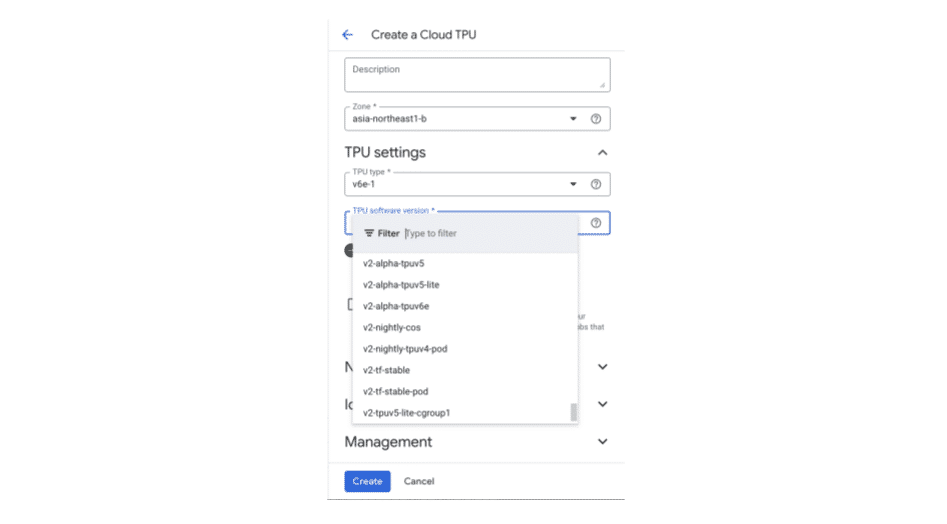
PyTorch and JAX
For PyTorch or JAX the choice is straightforward: pick a base version that supports your TPU hardware, then install your preferred framework on top of it. Common base versions by TPU generation:
| TPU version | Common TPU software version |
|---|---|
| Trillium (v6e) | v2-alpha-tpuv6e |
| v5p | v2-alpha-tpuv5 |
| v5e | v2-alpha-tpuv5-lite |
| v4 and older | tpu-ubuntu2204-base |
The software version is tied to the TPU generation - a v6e base version will
not boot a v5e slice, and vice versa. Match the version to the
--accelerator-type you request, then layer PyTorch or JAX on top.